Using the Peptide Calculator for Accurate Laboratory Planning
How to translate vial mass, diluent volume, and target sample size into draw volumes and syringe units before you reconstitute.
Manual arithmetic errors during peptide reconstitution are a common source of inconsistent assay results. A 10 mg vial reconstituted with the wrong volume of bacteriostatic water can shift your effective concentration by a factor of two or more — without any visible sign that something is wrong until controls fail.
What the calculator does
The Peptides EU reconstitution calculator converts lyophilised vial mass (mg), diluent volume (mL), and target sample size (mcg or mg) into final concentration, volume to draw, and U-100 syringe units. It also suggests practical bacteriostatic water volumes based on your sample size and syringe capacity — avoiding unrealistic diluent recommendations for large vials.
Worked example
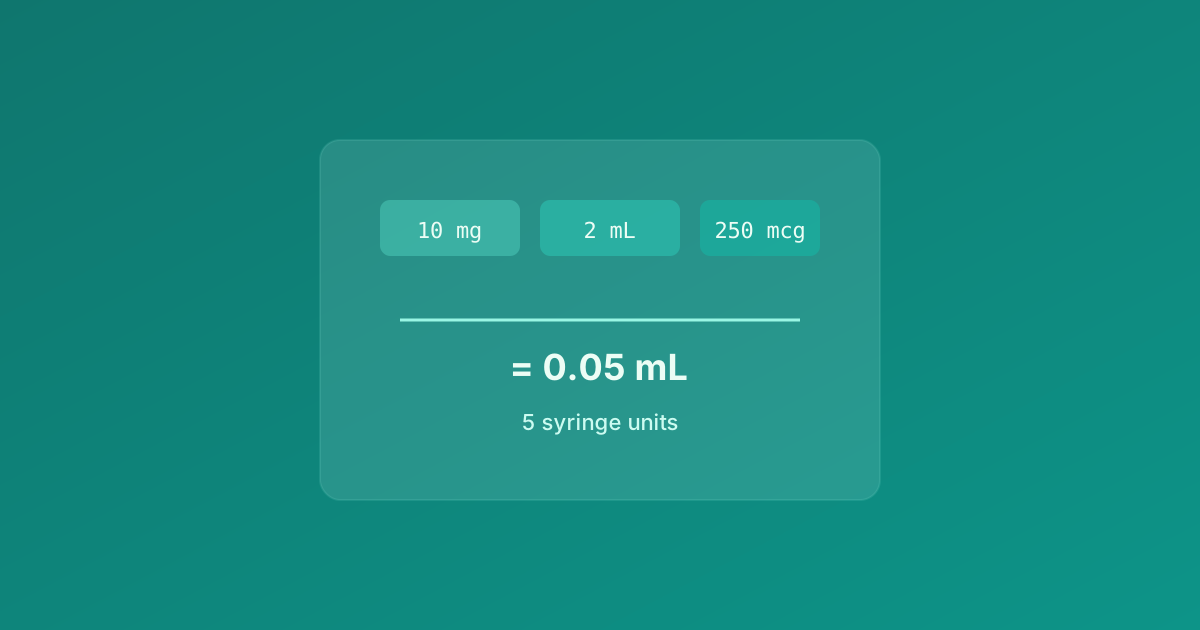
A 10 mg vial reconstituted with 2 mL water gives 5 mg/mL. For a 250 mcg research sample, the draw volume is 0.05 mL — equivalent to 5 units on a standard U-100 syringe. Enter these values in the calculator before preparing the vial so your team agrees on the plan.
- Step 1 — Select syringe capacity (0.3, 0.5, or 1 mL).
- Step 2 — Enter vial mass or choose a preset size.
- Step 3 — Enter target sample in mcg or mg.
- Step 4 — Pick a suggested diluent volume or enter your own.
- Step 5 — Press Calculate to see draw volume and syringe units.
When to recalculate
Recalculate whenever you change vial size, target sample, syringe type, or diluent volume. The tool warns if the required draw exceeds syringe capacity — a signal to use more diluent or a larger syringe for easier measurement in the lab.
Open the calculator at /tools/calculator. For in vitro laboratory research only — not for human or veterinary application.
Related resources
All content is for in vitro laboratory research context only. Not medical advice.